- Free to useNo fees, no hidden costs
- Source-linked informationApple inspection advice and UK consumer guidance
- Clear offer termsCheck condition, eligibility and the complete price
Compare refurbished iPhones with the full details
Our iPhone page separates standard offers from existing-customer upgrade deals.
Condition
Read the grade
Grade names and cosmetic standards differ between sellers.
Battery
Ask for a standard
A refurbished phone does not automatically have a new battery.
Activation Lock
Must be off
Apple advises against buying an iPhone with Activation Lock enabled.
Protection
Check returns
The seller's warranty and your legal rights are not the same thing.
Start here
What does refurbished iPhone mean?
Refurbished describes a phone sold for reuse after an inspection and any work the seller considers necessary. It is not a universal promise about the parts replaced, the battery or the phone's appearance. Ask for the seller's testing process and the condition you will receive in writing.
Refurbished by a retailer
Check the seller's inspection list, repair policy and warranty. An independent retailer's refurbished iPhone is not automatically an Apple Certified Refurbished product.
Second-hand from a private seller
You may need to do more checks yourself. Private sales do not provide all the same consumer rights as buying from a business. Be clear about who is selling the phone, even on a marketplace.
New versus refurbished
Match the exact model, storage and mobile allowance when comparing prices. Account for condition, battery standard, support and warranty rather than treating a refurbished price as the price of a new phone.
Read the listing
Refurbished iPhone grades: what should you check?
Labels such as pristine, excellent, good or fair are seller-defined. Do not assume an A grade from one retailer matches an A grade elsewhere. Cosmetic condition and working order need separate checks.
Questions to ask about the condition grade
| Detail | Ask the seller | Why it matters |
|---|---|---|
| Screen | Are scratches visible when the screen is on? | A mark hidden by a photo can be distracting in everyday use. |
| Body | What scratches, dents or scuffs are allowed? | The grade should describe the actual level of wear. |
| Working order | Which functions are tested and guaranteed? | A cosmetic grade alone does not confirm the phone works correctly. |
| Battery | What minimum battery condition is promised? | The grade does not necessarily guarantee a particular battery capacity. |
| Replacement parts | What parts were changed and how are they described? | A repaired screen or battery can have different history and messages. |
| Accessories | Which cable, charger and packaging are included? | Missing accessories can add to your purchase cost. |
This is a buying checklist, not a standard grading scale or a claim about any retailer's inspection process. Read each seller's own definition.
Before paying
Seven checks for buying a refurbished iPhone
Use these questions before ordering, then repeat the checks you can when the phone arrives. Keep the listing and order confirmation.
- 1
Check the seller and the exact model
Confirm the business name, contact details and return address. Match the model, storage and condition in the listing. Check whether it is a UK handset or an import, since SIM arrangements and other features can differ.
- 2
Get the battery promise in writing
Ask what minimum battery condition the seller guarantees and whether a replacement is included. Do not assume refurbished means a new battery. Check what the warranty says about battery wear and any service messages.
- 3
Make sure Activation Lock is removed
Apple says not to buy an iPhone with Activation Lock enabled. If it shows iPhone Locked to Owner or needs the previous owner's Apple Account during setup, do not accept a promise to bypass it later. Ask the seller to resolve it or arrange a return.
- 4
Check network and device restrictions
Apple says No SIM restrictions beside Network Provider Lock in Settings, General, About means the phone is unlocked. This is different from Activation Lock. Ask whether the handset has been reported lost or stolen, and whether any organisation management remains.
- 5
Ask about repairs
On supported models and software versions, Settings, General, About can show Parts and Service History. Ask about replacement batteries, screens and cameras. An Unknown or other warning message needs an explanation, not an assumption that everything is original.
- 6
Read warranty and returns
Check the warranty length, what is excluded, how repairs or returns are arranged and who pays applicable postage. Save the seller's returns instructions. Your rights when buying from a business are separate from its voluntary warranty.
- 7
Compare the complete purchase or contract cost
For an outright phone, include delivery and any accessories you need. For a contract, add upfront costs, every scheduled payment and mandatory fees. Check whether the offer is for new customers or only for existing customers eligible to upgrade.
A Hello screen is a starting point, not the whole test
Apple explains that Hello means the iPhone has been erased. You still need to activate and set it up to test it. Do not treat that screen alone as proof that every lock, fault or account issue has been cleared.
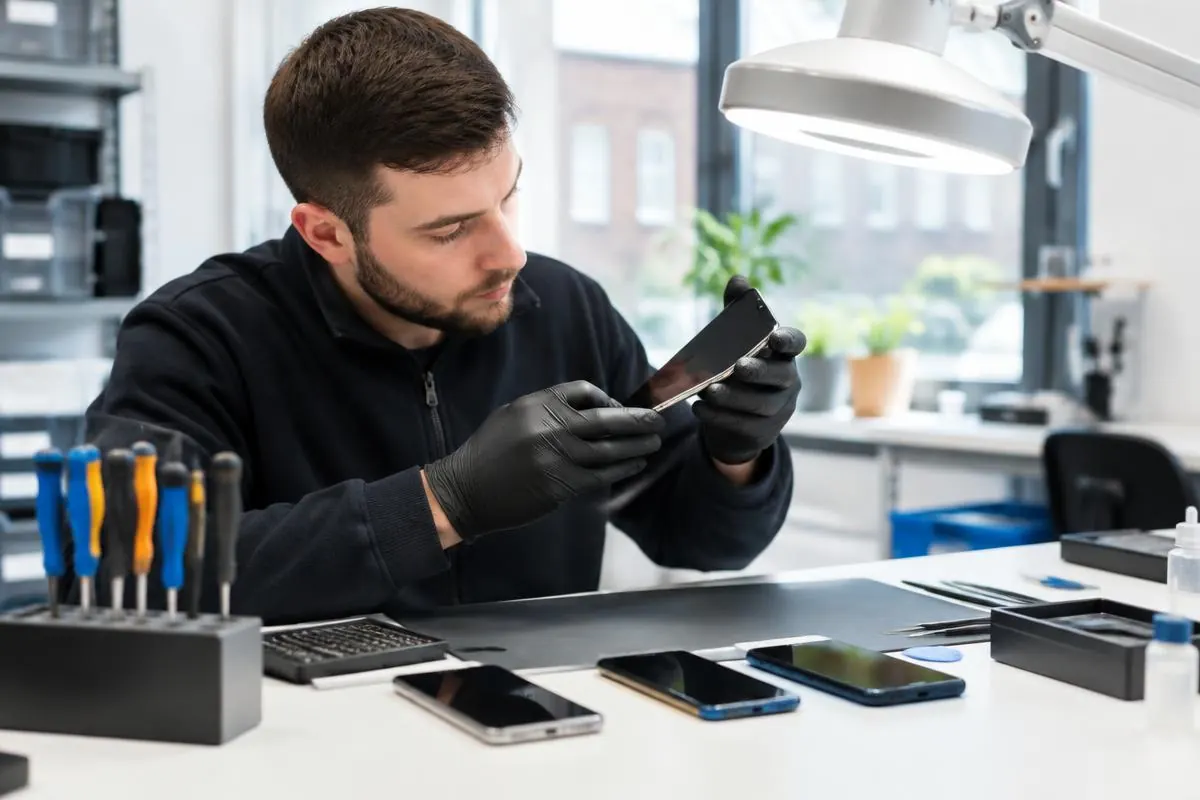
When it arrives
Test your refurbished iPhone before the return deadline
Check the phone promptly and keep a record of any issue. Follow the seller's instructions if it differs from the advertised condition.
1. Screen and controls
Inspect the display, sides and charging port. Test touch response, brightness, buttons and the model's Face ID or Touch ID. Check for unexpected lines, dead areas or cracks.
2. Cameras and sound
Take photos and video using the available lenses. Play the video back and record a voice memo. Check speakers and microphone rather than testing only whether the camera app opens.
3. Battery and charging
Open Battery in Settings and check the health information available for your model. Menu names vary by software version. Check for service warnings and confirm the phone charges normally.
4. Connections
Test Wi-Fi, Bluetooth and mobile service. Confirm the SIM or eSIM works with your chosen provider, and that you can make calls and use data.
5. Parts and accounts
Check Parts and Service History where supported. Complete setup with your own Apple Account. Report unexpected management screens, ownership locks or part warnings to the seller.
6. Keep evidence
Save the listing, condition description and battery promise. Photograph damage and report faults promptly. Back up and remove your personal data before returning the phone, following the seller's safe return process.

Choosing a model
Which refurbished iPhone should you buy?
Choose a phone for the features you use and the time you expect to keep it. This guide does not name a universal cheapest or best model, because available offers, condition and support differ.
Check storage first
Allow space for your photos, apps and downloads. Match storage when comparing offers. A lower-capacity listing is not a like-for-like saving against a larger one.
Check software and app support
Use Apple's current iOS compatibility information for the exact model. Also check essential apps such as banking apps. Do not assume every older iPhone has the same update support or invent a future support end date.
Check features you need
Camera lenses, screen size, charging connector and Apple Intelligence support differ by model. Look up the exact specifications rather than assuming every Pro or newer-looking handset includes the same features.
Compare condition with price
A lower cosmetic grade might suit you if the wear is acceptable. It still needs the working order, battery and warranty you expect. A new phone on promotion may sometimes be worth comparing too.
Our existing iPhone directory contains model information and a separate refurbished deals section. Standard contracts and existing-customer upgrade offers are labelled separately.
We use approved partner feed prices. A model name or link is not a promise that a priced offer is available, and feed prices must be checked with the retailer before ordering.
Do not buy an iPhone locked to somebody else's account
Activation Lock is not the same as a network lock or forgotten screen passcode. Apple advises against buying a phone with Activation Lock enabled. If an online purchase arrives locked to its previous owner, contact the seller and arrange a return. Do not pay a third party promising to bypass the owner's account.
Your consumer rights
Warranty, returns and buying from a business
Check whether you are buying from a business or a private seller. A retailer's warranty is an additional promise, not a replacement for the legal rights that apply to the sale.
- For most online goods bought from a business, GOV.UK says you can tell the seller you want to cancel within 14 days of receiving the item, then have another 14 days to return it. Conditions and exceptions apply. Check the process before ordering.
- Faulty, misdescribed or unsuitable goods involve different rights from simply changing your mind. GOV.UK explains that businesses must offer a full refund when goods are faulty, not as described or do not do what they are supposed to do.
- Buying in a shop does not automatically give the same change-of-mind right as buying online. A seller may offer its own policy. Private purchases do not carry every protection that applies when buying from a business.
- If the phone is part of a contract, check the handset return and mobile service cancellation instructions together. Returning a handset does not mean you should assume all airtime payments or agreements have ended.
This is general buying information, not legal or financial advice. Get advice on your circumstances if a seller disputes a fault or return. CompareDirect is not the seller, a lender or a credit broker.
Questions
Refurbished iPhone questions answered
Is it safe to buy a refurbished iPhone?
It can be a reasonable purchase from a reliable seller if the inspection, condition, battery standard, locks, warranty and returns are clear. Inspect the phone when it arrives. Refurbished is not a guarantee that every seller follows the same process.
Does refurbished mean the battery is new?
No. Ask whether the battery was replaced and what minimum battery condition is guaranteed. Check the available Battery Health information and any warning messages when the phone arrives.
What is the best refurbished iPhone grade?
There is no universal grading system. Choose the seller's condition description you can accept and check functionality separately. A higher cosmetic grade does not automatically mean a new battery or longer software support.
How do I check Activation Lock?
Do not buy or accept a phone that says iPhone Locked to Owner or requires the previous owner's Apple Account during setup. Apple says an online purchase that arrives with Activation Lock enabled should be returned. The seller must resolve ownership before it can be set up as yours.
How do I know whether an iPhone is network unlocked?
Open Settings, General, About. Apple says No SIM restrictions beside Network Provider Lock means the iPhone is unlocked. This check does not confirm that Activation Lock is off or that the handset has not been reported lost or stolen.
Can I check replacement parts?
On supported iPhone models with the required software, Settings, General, About can show Parts and Service History. The parts listed and messages vary by model. Ask the seller to explain any warnings; absence of a section is not proof that a phone has never been repaired.
Can I return a refurbished iPhone bought online?
For most online goods bought from a business, you can notify the seller of cancellation within 14 days of receiving the item and then have another 14 days to return it. Faults have separate rights. Follow the seller's instructions and check the exceptions explained by GOV.UK.
Is a refurbished iPhone waterproof?
Do not assume it is. Water resistance is not permanent and can be affected by wear or repair. Check the seller's terms and avoid treating the model's original rating as a guarantee for a used handset.
Are your refurbished iPhone deals available to everyone?
Not every offer is. Our iPhone page separates standard offers from upgrade-only contracts for eligible existing customers. Check the retailer's price, stock, condition and eligibility before ordering.
Should I buy refurbished outright or on contract?
Compare the same phone, storage, condition and allowance over the same period. Add all required payments and fees. If scheduled rises or fees are unknown, a starting-price subtotal cannot establish which final bill is cheaper.
Find a refurbished iPhone with clear terms
Browse the refurbished section on our iPhone page, then confirm condition, eligibility, battery standard and the final price with the seller.
View refurbished iPhone deals
Latest from CompareDirect
Related news
Keep reading
Guides and tools
iPhone models and refurbished deals
Explore handset information and our separately labelled refurbished offers.
Read moreBuying a phone outright or on contract
Compare the complete costs over the same period.
Read morePhone contracts explained
Read about payments, eligibility, cancellation and price rises.
Read moreGoogle Pixel vs Samsung Galaxy
Compare Android buying priorities and refurbished checks.
Read moreSources
- Apple: buying a pre-owned iPhone
- Apple: Activation Lock
- Apple: iPhone Parts and Service History
- Apple: unlocking an iPhone for another network
- Apple: iPhone battery and performance
- Apple: current iOS information and compatibility
- GOV.UK: accepting returns and giving refunds
Original CompareDirect buying guidance based on the official sources listed above. We do not inspect or refurbish the phones ourselves and do not claim a particular seller follows the illustrated process. Photos illustrate inspection and buying decisions, not an audit of a partner's workshop. CompareDirect may earn commission from approved partner links; comparison order is unchanged. Confirm the seller's current price, condition, stock, eligibility and full terms before ordering. Apple and iPhone are Apple Inc. trademarks; CompareDirect is not affiliated with Apple.