
CompareDirect ·

Outlook or Teams down? Learn how to check Microsoft’s status and build a UK backup plan for mobile calls, broadband, gas and electricity.
A widespread Microsoft 365 outage disrupted Outlook email, Teams and Copilot into Friday 13 November. Reports of UK Teams problems rose on Thursday evening, and by late Friday the company said the underlying issue had been resolved and services were returning to normal. Recovery can vary by organisation, so check your account or employer’s updates if you are still having trouble. ITV News · The Guardian · Microsoft’s evening update, reported by the New York Post
The disruption had practical consequences. The Maritime and Coastguard Agency issued a notice about its email service, while an NHS service told patients with video appointments to try joining as planned and expect a phone call if the appointment could not go ahead by video. The same idea works at home: agree on a fallback before the service you normally use becomes unavailable. GOV.UK · NHS service notice
Outlook or Teams down? Check what has failed first
| What you can still do | What to check next |
|---|---|
| Ordinary websites load, but Outlook or Teams fails | Check Microsoft’s service status or your workplace IT updates. Use an agreed phone or SMS fallback for anything urgent. |
| Websites work on mobile data but fail on home Wi-Fi across several devices | Check your broadband provider’s fault page using mobile data. Use a hotspot if your plan and signal allow it. |
| Mobile data and calls fail where they usually work | Check your mobile provider’s status from working Wi-Fi or try a second mobile network if you have one. |
| The router has no power and the lights are out | Check for a power cut and use your electricity network’s outage number if needed. |
A hotspot can get you online during a broadband fault. When Outlook or Teams itself is down, use a different way to contact people. Check the Microsoft service status page or ask your organisation’s IT team for its Microsoft 365 service health update.
1. Mobile phones: keep a second way to make contact
- Save key numbers on your phone and on paper. Include family, school, work, your broadband provider and your energy supplier. Agree who will call whom if a group chat goes quiet.
- Test calls and SMS with Wi-Fi off. That tells you whether your mobile signal can carry a call at home when the router is unavailable. If the signal is weak, try the rooms you actually use and note where calls work.
- Consider a second network if staying reachable matters. An unlocked dual-SIM phone may support a spare SIM or eSIM. Check the underlying network because two brands can share the same network. Test calls and data, and check top-up or inactivity rules before relying on it.
- Keep a charged power bank and the right cable together. Store a paper contact sheet where everyone can find it. For work accounts, ask IT about approved alternative contact methods and account recovery. Keep confidential files within approved systems.
If you are shopping for a backup line, check coverage at home first and then compare the data allowance, cost and expiry terms. Compare Sim Only plans
2. Broadband: set up and test a mobile hotspot
On an iPhone, look for Personal Hotspot in Settings. On Android, look for Hotspot & tethering or Mobile Hotspot under your network or connections settings. Names vary by device. Set a strong password, connect your laptop and load a website with your home Wi-Fi switched off on the laptop. Check your plan’s tethering rules and data allowance. During a fault, pause large downloads and cloud sync so your allowance lasts longer.
If you work from home and lose connection regularly, a separate 4G or 5G router may make sense after you test mobile coverage. For a digital landline that plugs into the router, ask the provider what happens in a power cut. Ofcom says providers should offer a free solution that gives at least an hour of emergency access to customers who depend on their landline to call emergency services. If you use a telecare alarm, ask both providers about compatibility and power backup. Ofcom guidance · Compare broadband
3. Electricity: make a power cut plan that works offline
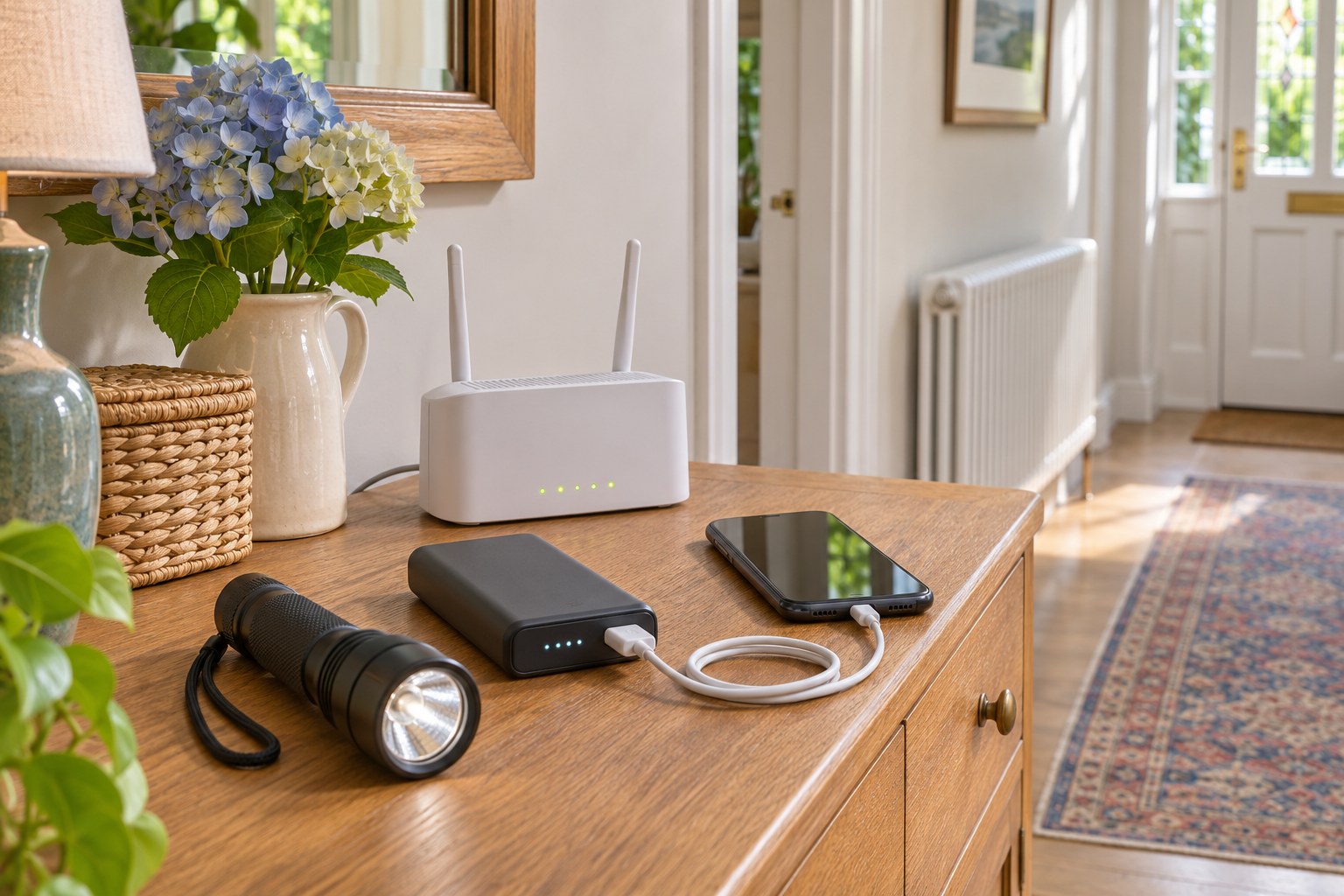
An energy website or app can go down while electricity keeps flowing. A physical power cut can affect your lighting, router, digital phone and some heating controls. Keep a battery torch, spare batteries and a charged power bank where you can find them in the dark. Write down your electricity network’s contact number and keep your supplier account details somewhere you can reach offline. GOV.UK power cut guidance
Report a power cut: Call 105 in England, Scotland or Wales. In Northern Ireland, call NIE Networks on 03457 643 643. If someone is in immediate danger, call 999. If anyone at home relies on powered medical equipment, ask their care team for an outage plan and ask the electricity network or supplier about the Priority Services Register. GOV.UK · NIE Networks
4. Gas and heating: know who to call before you need them
- Supplier app unavailable: Use the phone number on a previous bill. If you have a prepayment meter, ask your supplier in advance which shop or other top-up options work for your meter and how emergency credit works.
- Boiler or heating stops during a power cut: A gas boiler can still depend on electricity for its controls or pump. Keep blankets and warm layers handy. For a boiler fault, contact your landlord, heating provider or a Gas Safe registered engineer. Keep barbecues, camping stoves and outdoor generators outdoors. Scottish Fire and Rescue Service
- You smell gas or suspect a leak: Move outside to call. Avoid flames and operating electrical switches. Call 0800 111 999 in Great Britain or 0800 002 001 in Northern Ireland. National Gas · nidirect
Find your supplier and network operator before an outage so you know who handles billing, top-ups and interruptions to supply. Ofgem’s supplier and network finder · CompareDirect household energy
A 10-minute household backup check
- Switch off Wi-Fi on your phone and test a normal call and SMS.
- Connect your laptop to your phone’s hotspot and load a website.
- Charge your power bank and check where the torch and spare batteries are.
- Write down the numbers you would need if your phone battery ran out.
- Agree on a fallback for your next important call, appointment or school pickup.
Source: The Guardian
Compare broadband deals in the UK.
Written by CompareDirect. Prices and terms change, so check the source and the provider before you buy.
More stories on this subject
Found this helpful? Share it with family and friends.
Know someone who might find this useful? Share it with them.